Features
An SSH client, SFTP browser, database tool and Kubernetes dashboard in one app
noxed is a free, open-source desktop app for macOS, Windows and Linux. Each server you work with gets its own tab: a terminal, files, a database or a cluster. Everything runs over connections you already have.
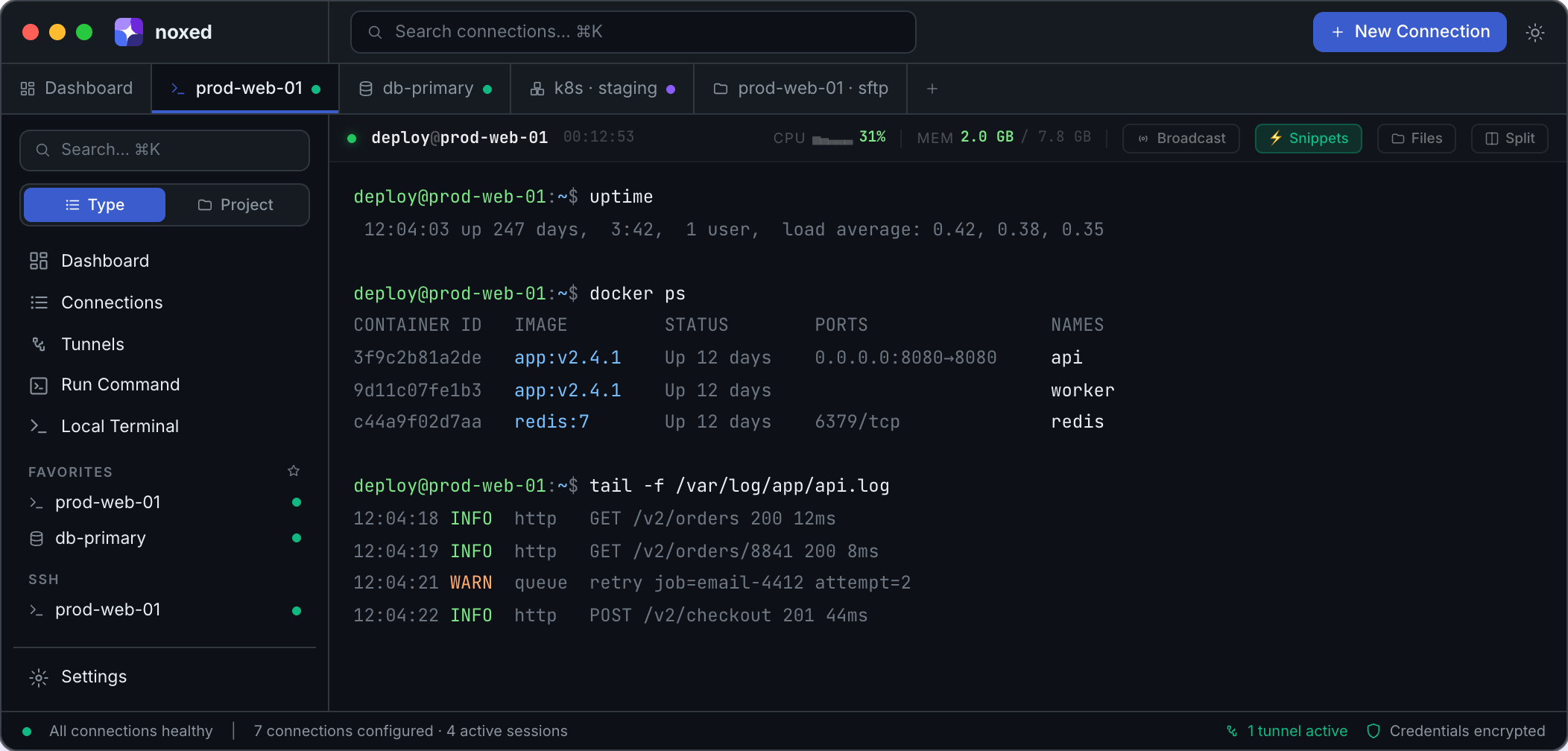
SSH terminal and connection manager
Save every host once and open it in a tab. Sessions are colour-coded per host and can be grouped into projects or pinned as favorites. A command palette (⌘K) finds any connection quickly.
- Split panes: up to four terminals in one tab, resizable by dragging the dividers, with optional keystroke broadcast to all of them.
- Quick connect: press ⌘⇧K, or type
user@hostinto the command palette, to connect without saving the host first. It understandssshcommands as you'd paste them, e.g.ssh deploy@web -p 2222. - Jump hosts (ProxyJump): reach servers behind a bastion. Chained hops resolve automatically.
- SSH agent forwarding: opt in per connection to use your local keys from the server (for
git pullor hopping onward). Works with the macOS/Linux agent and Windows' built-in OpenSSH agent. - Import from
~/.ssh/config: bring in your existing hosts, including ProxyJump settings. - Host key verification: new hosts show their fingerprint for you to confirm, changed keys are blocked with a warning, and existing
~/.ssh/known_hostsentries are honoured. - Password, key or SSH agent authentication: point at a private key in
~/.ssh, store a password in the OS keychain, or use your SSH agent, then your passphrase-free default keys (id_rsa,id_ecdsa,id_ed25519). - Live metrics: CPU, memory, disk and load are streamed over the session you already have open and shown in its header.
- Multi-line paste protection: pasting text with line breaks, which a shell runs as soon as it's pasted (even a single command ending in a newline), shows you the lines first. Shells using bracketed paste are left alone, since they don't run pasted lines until you press Enter.
- Scrollback search, themes and snippets: ⌘F search, configurable fonts and cursors, and reusable command snippets (global or per host).
SFTP client
Browse a server's files in a standalone two-pane browser or a drawer attached to a live SSH session. Upload, download, rename, change permissions (chmod) and edit files inline with a CodeMirror editor. Press Space to preview a file.
Port forwarding and SOCKS5 tunnels
Set up local and remote port forwards, or a SOCKS5 proxy, over any saved connection. Saved tunnels start and stop with one click, and their live status shows in the status bar.
Server dashboard and multi-host commands
A mission-control dashboard shows CPU sparklines, memory, disk, load and uptime for every connected server. It alerts you when CPU stays pinned or a disk fills up. The dashboard also leads with your recent connections and quick actions (new connection, quick connect, import ~/.ssh/config, local terminal). On first run it walks you through getting started. The command runner sends one command to a set of servers and shows each output and exit code side by side.
Docker over SSH, no agent required
On any host with the docker CLI, noxed lists containers and images, streams logs and shows live CPU/memory stats. You can also start, stop, restart and remove containers. Nothing needs installing on the server.
Database client: PostgreSQL, MySQL, MariaDB, SQL Server and SQLite
A schema browser and query editor with history, saved queries and EXPLAIN. Edit cells inline, add rows and delete them. Every write is keyed on the table's real primary key, and tables without one stay read-only. An ER diagram lays out every table and foreign key; click a table to browse it, or export the diagram as SVG. Export a whole table to CSV, JSON or SQL, and import a CSV into a table in a single transaction.
MongoDB
Connect to MongoDB directly or through a mongodb+srv:// seed list (such as Atlas), with TLS. Browse databases and collections, filter and sort with JSON, page through results, and insert, edit or delete documents. Extended JSON keeps ObjectIds and dates intact through edits.
Redis browser
Browse keys, inspect values and TTLs, and run commands from a guarded CLI that blocks destructive commands.
Kubernetes dashboard
A multi-context dashboard for workloads, services, config, nodes and events. Stream pod logs, exec into containers, port-forward, and scale or restart deployments. Contexts come from your kubeconfig.
Remote Desktop (RDP)
Open a Windows desktop over RDP in a tab next to your terminals, with mouse and keyboard input. RDP currently ships in the macOS build.
Claude Code integration (MCP)
Turn on Settings → Security → Claude Code (MCP) and run the one-line claude mcp add command it shows. Claude Code can then list your saved SSH servers, run commands and read files on them, through the connections and keys you already have in noxed. Nothing happens until you approve it: each request appears in noxed with the exact command or path, and you can allow it once or for that server until noxed quits.
Built for security
Credentials live in your operating system's keychain, never in config files. An optional lock screen (Touch ID, PIN or password) auto-locks when you step away. There are no accounts and no cloud sync. Read the security overview for details.
Free and open source
noxed is MIT licensed and developed in the open on GitHub. There's no subscription, no account and no paid tier.